How to Download Your Meesho Report
To calculate your Meesho store's true profit and loss, you first need to download one specific file. This guide shows you exactly where to go, what to tap, and which report to select.
📋 Download the Report in 5 Simple Steps
Follow these steps inside the Meesho Supplier App — exactly as shown in the screenshots below.
Open the Menu
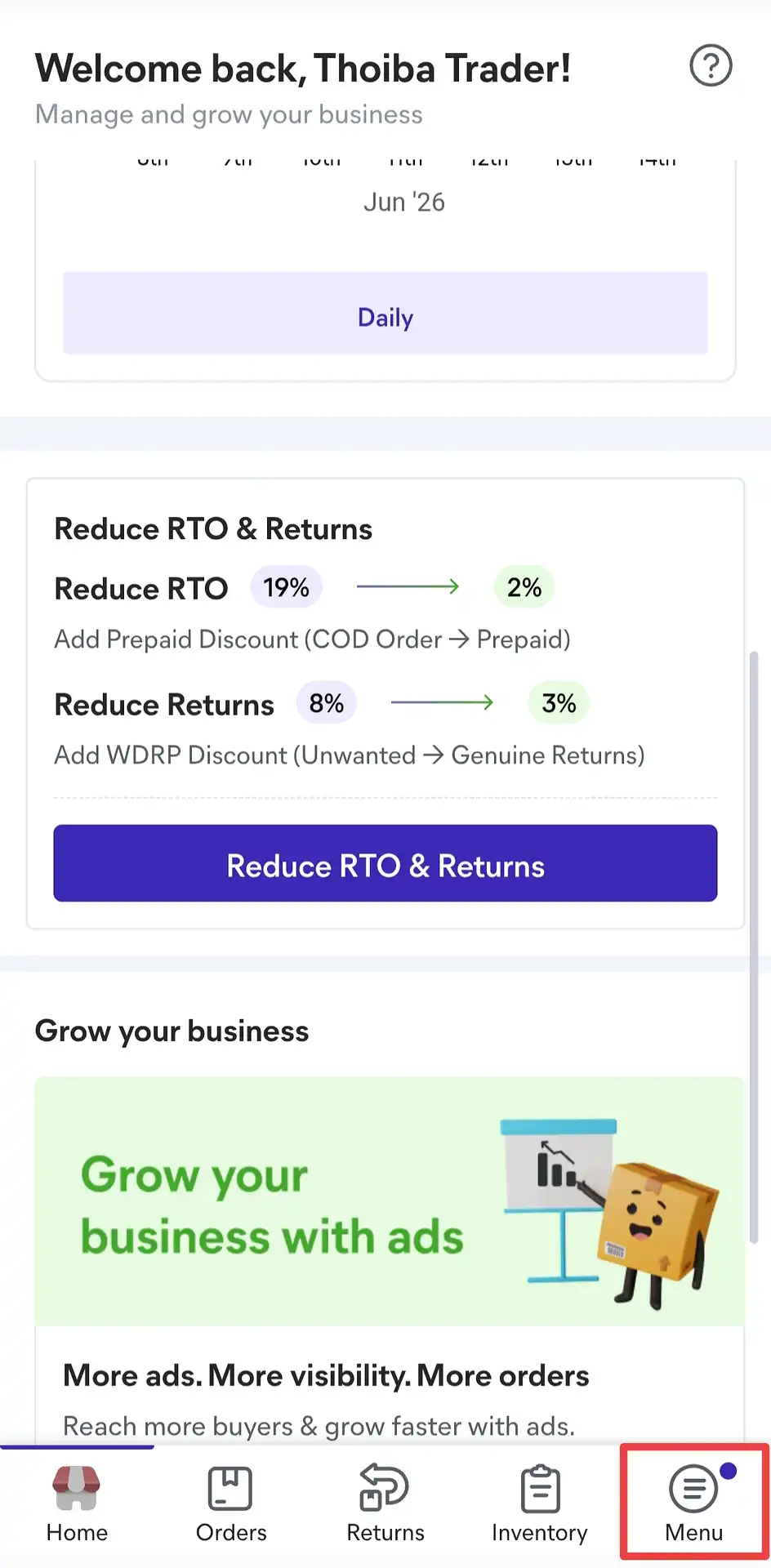
Open the Meesho Supplier App. At the very bottom of the screen, tap the "Menu" button in the bottom-right corner.
Go to Payments
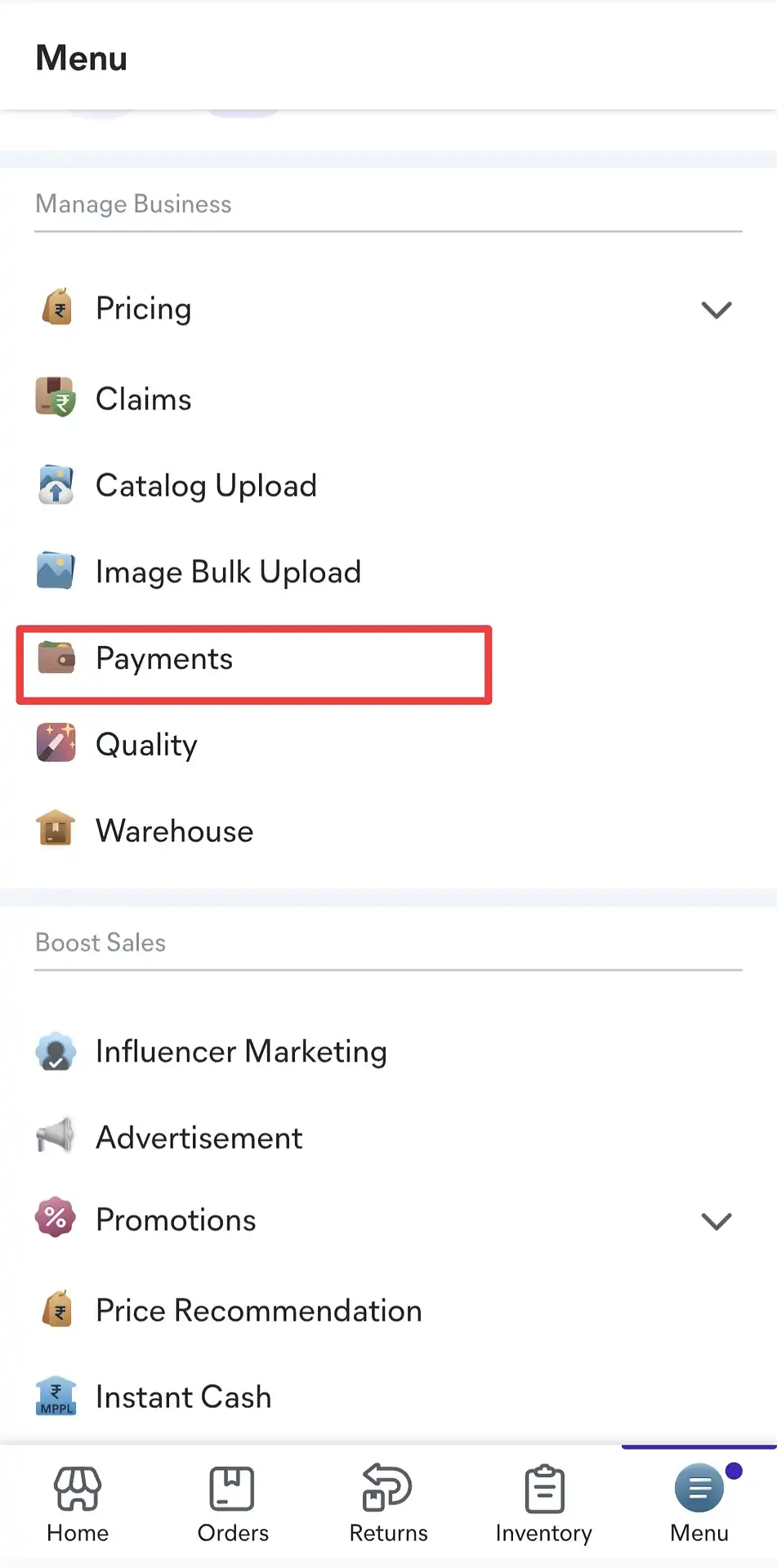
Once the Menu opens, look for the "Manage Business" section and tap on "Payments".
Tap the Download Button
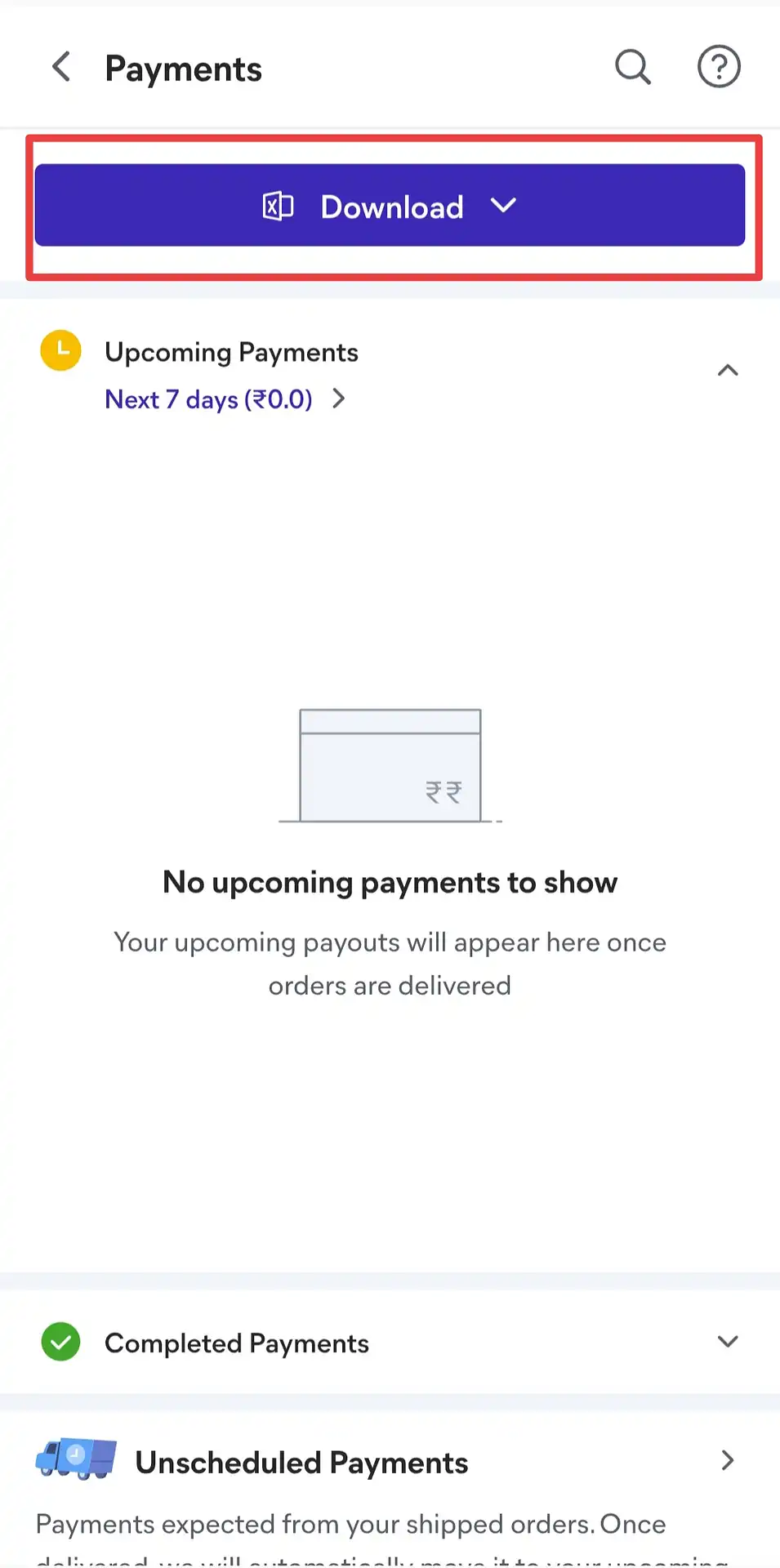
The Payments page will open. You'll see a prominent "Download" button at the top of the page — tap it.
Select "Payments to Date"
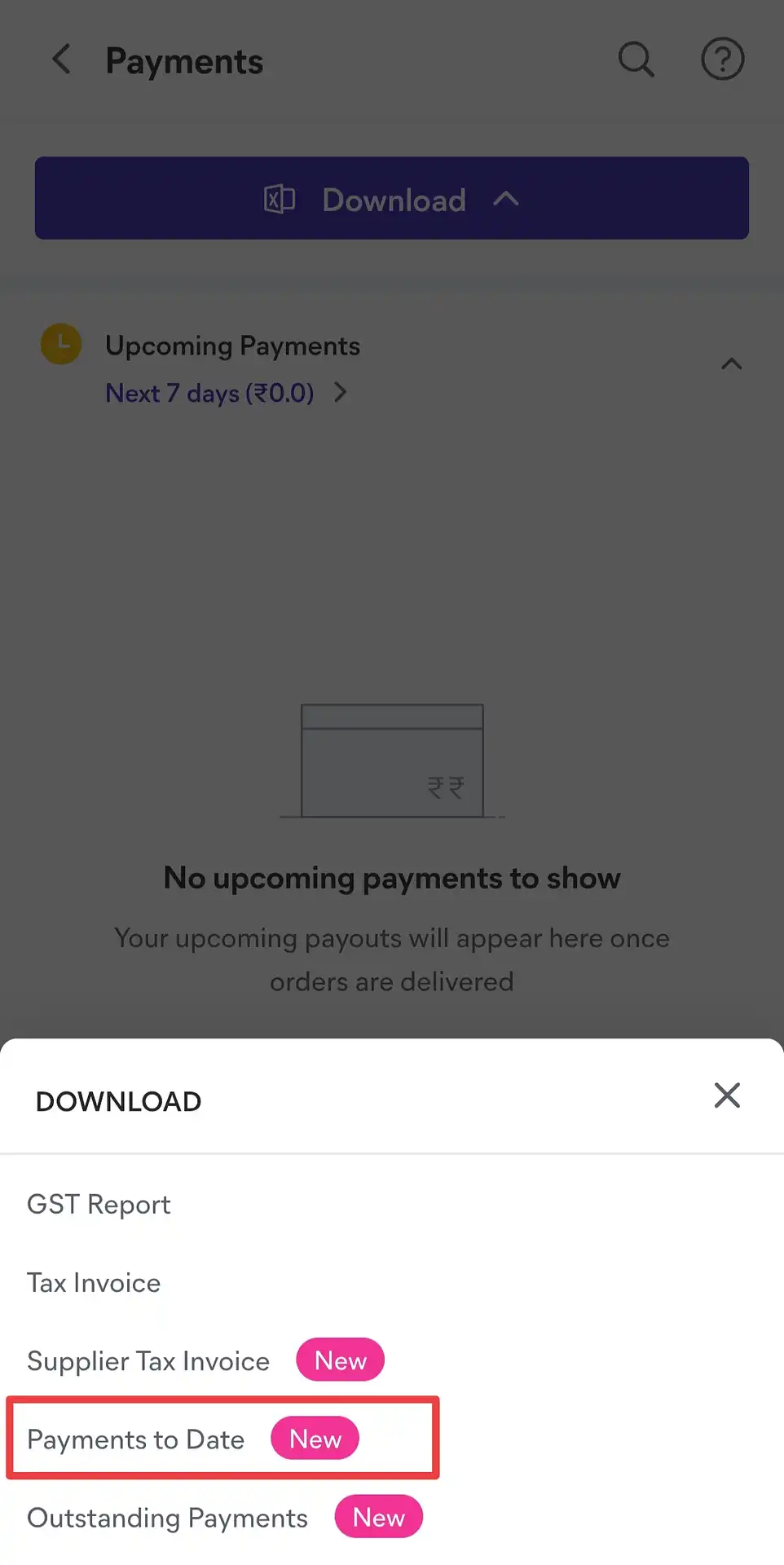
A list of report options will appear. Select "Payments to Date" — this is the only report our calculator supports. Ignore other options like GST Report, Tax Invoice, etc.
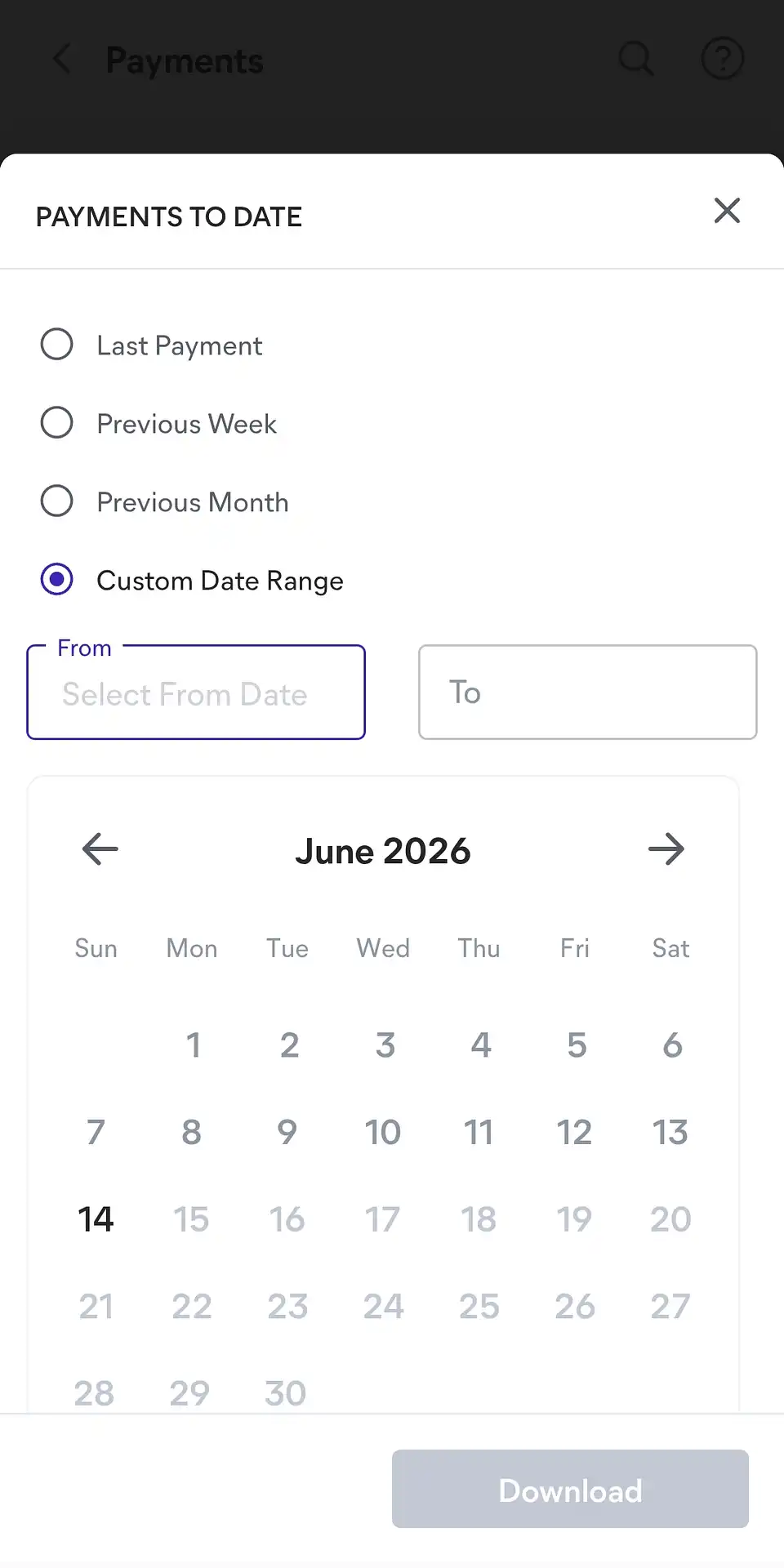
Set Your Date Range and Download
Select "Custom Date Range", enter your From and To dates for the period you want to analyse, then tap Download. The report will be saved to your device as a .xlsx file.
What Does This Report Contain?
The "Payments to Date" report is an Excel file that lists every order individually — including the product name, order status, the settlement amount (how much you'll receive or be charged), and the expected payment date. The file also contains a few additional sheets (Ads Cost, Referral Payments, etc.), but our calculator automatically reads only the main "Order Payments" sheet — you don't need to make any edits to the file before uploading.
What Do the Order Statuses Mean?
Each row in the report has an order status column — this is the most important field to understand:
- Delivered — The order was successfully delivered to the customer. You will receive payment for this order.
- Return / RTO / Exchange — The order was returned or undelivered. You may incur a loss on shipping and packaging costs for these orders.
- Cancelled — The order was cancelled before dispatch. There is no profit or loss.
What Is the "Final Settlement Amount"?
This is the actual amount Meesho will pay you (or deduct) for each order, after all platform fees and charges are subtracted. For delivered orders, this is your revenue. For returned or RTO orders, this figure represents your net loss on that order.
How Does Our Calculator Use This File?
Once you upload the file, the calculator automatically reads and processes it — no manual data entry needed. It totals the delivered and returned orders for each product (SKU), calculates the net settlement amounts, and once you enter your cost price and packing cost, instantly shows you which products are profitable, which are running at a loss, and your overall net profit or loss including GST.
Frequently Asked Questions
The "Payments to Date" report downloads as an Excel (.xlsx) file. Our calculator only accepts this format — PDFs and screenshots are not supported.
No. The calculator requires only the "Payments to Date" report. Reports like "GST Report", "Tax Invoice", "Supplier Tax Invoice", and "Outstanding Payments" are different files and will trigger an error if uploaded.
Select the date range for the period you want to analyse — for example, the previous month. A longer date range will produce a larger file, but the calculator can handle it without any issues.
The file contains several sheets (Ads Cost, Referral Payments, Compensation and Recovery, etc.). The calculator automatically identifies and reads the correct "Order Payments" sheet — you don't need to edit the file at all. Just upload it as downloaded.
No — your data never leaves your device. The entire file is read and processed locally inside your browser. Nothing is transmitted to any server, so your Meesho sales data stays completely private.
Yes — the calculator supports all three platforms at once. Upload your Meesho .xlsx file together with your Amazon .csv and your Flipkart .xlsx to get a single combined P&L report, plus individual breakdowns for each platform.